Email Migration QA
Contract Forward Deployed Engineer · SiriusXM · July 2026–present. I work directly with the marketing team to understand operational problems and build internal applications around their workflows.
The problem
During the migration from Adobe to Salesforce Marketing Cloud, confirmation emails need to preserve their content across platforms. Checking each pair manually makes differences in subject lines, preview text, and body copy easy to miss.
What I built
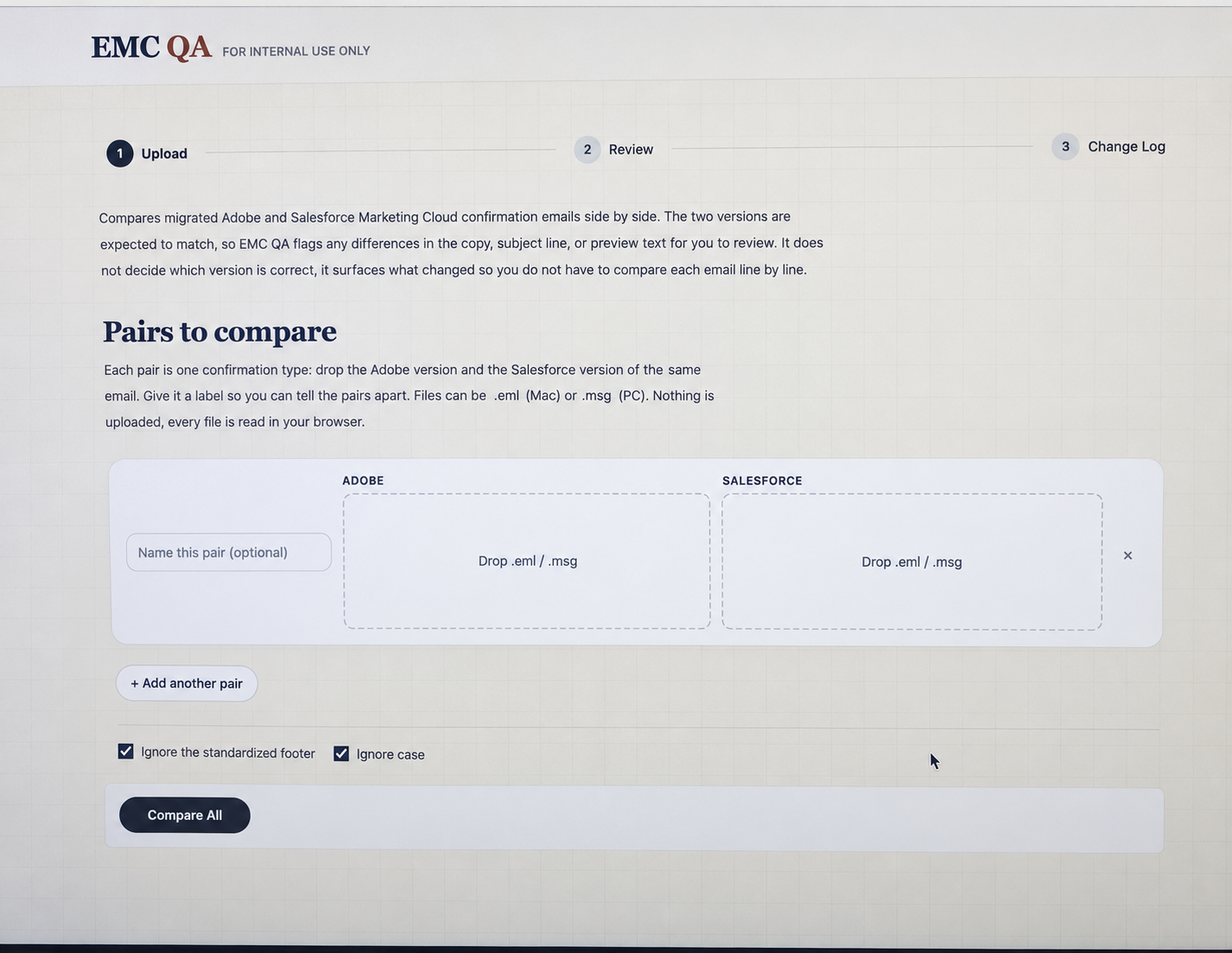
I developed an internal application that compares the Adobe and Salesforce versions of confirmation emails and highlights differences for human review. It supports multiple pairs in a single session.
How it works
- Add the Adobe and Salesforce versions of each confirmation email as paired .eml or .msg files. Label pairs to keep them organized.
- Compare subject lines, preview text, and body copy, then review the highlighted discrepancies.
- Ignore expected differences, including standardized footers or capitalization, to focus on changes that matter.
- Read and process the comparison files locally in the browser. The interface states that the files are not uploaded.
Formats and integrations
Adobe and Salesforce Marketing Cloud confirmation emails in .eml and .msg format, with local browser-based file processing.
Technologies used
- Front end: TypeScript, SolidJS, TanStack Router, Vite, and Tailwind CSS.
- Back end: Node.js and TypeScript APIs on AWS Lambda behind an Application Load Balancer.
- Data and AI infrastructure: DynamoDB and an OpenAI-compatible LiteLLM gateway.
- Development and delivery: Vite/Warp, a local DynamoDB mock, and GitHub Actions deployments through SiriusXM Builder/AWS.
Value to the team
The tool helps the team check content consistency during migration without comparing every email line by line. Reviewers can separate expected platform differences from changes that need attention.